Call Me Maybe: Debugging MediaStream Interruptions
20 Apr 2025
the problem
I've been looking a lot at MediaRecorders recently. Scribe uses one in the browser for audio recording, and you'd think this would be straightforward. (For context, Scribe is a transcription and summarisation tool that I built as part of my work in OGP.) However, one failure mode we've noticed is that receiving phone calls may permanently disrupt the recording process, forcing the user to restart the browser and start a new recording session.
As Scribe is used by healthcare workers and social service professionals, taking a phone call is often a professional necessity, making this a significant failure mode.
getting better logs
Because debugging on mobile browsers can be a pain, I added a console logger component that outputs all console logs to the frontend, so I can get immediate feedback when testing on mobile.
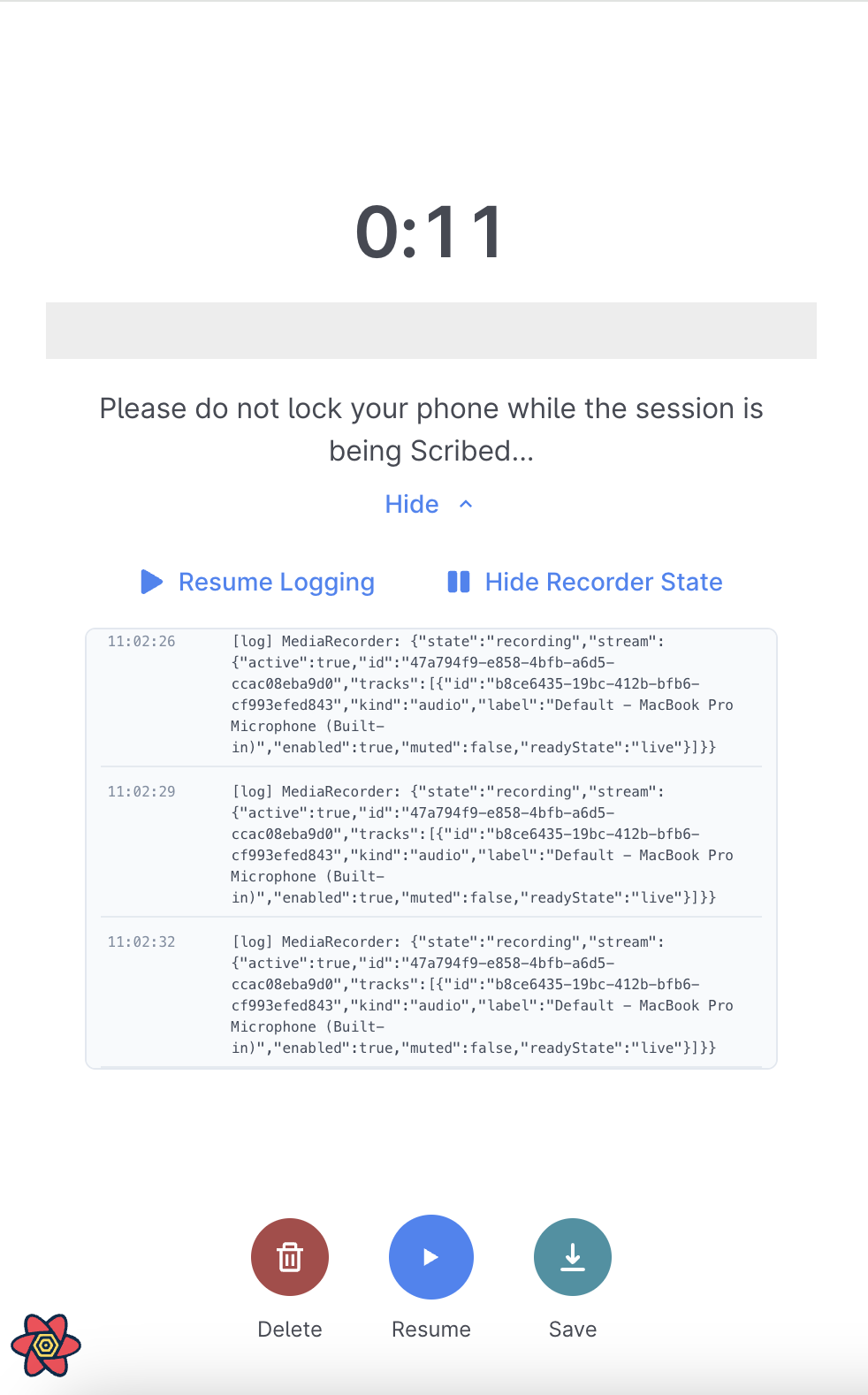
Here, we log the MediaRecorder state and the MediaStream info.
{
  "state": "recording",
  "stream": {
    "active": true,
    "id": "47a794f9-e858-4bfb-a6d5-ccac08eba9d0",
    "tracks": [
      {
        "id": "b8ce6435-19bc-412b-bfb6-cf993efed843",
        "kind": "audio",
        "label": "Default - MacBook Pro Microphone (Built-in)",
        "enabled": true,
        "muted": false,
        "readyState": "live"
      }
    ]
  }
}
Even without reading the docs, you can roughly understand that a MediaStream contains tracks (i.e. a set of MediaStreamTracks), each representing a media source that is being consumed.
There are different types of MediaStreamTracks — in this case, we care about audio tracks and their status when phone calls are received.
How do stream.active, tracks[0].enabled, or tracks[0].muted change when a phone call comes in?
On top of these, we log:
- Blob size: Scribe streams data to our servers in 15s chunks, so I log the size of these blobs every 15s.
- Document visibility: the HTML document visibility affects whether a page is considered to be in view, which has implications for the recording state.
some background research
The only documentation I was able to find online about the expected behaviour when a phone call is received is the W3C specs on Media Capture and Streams:
On some operating systems, microphone access may get stolen from the User Agent when another application with higher-audio priority gets access to it, for instance in case of an incoming phone call on mobile OS. The User Agent SHOULD provide this information to the web application through muted and its associated events.
Whenever the User Agent initiates such an implementation-defined change for camera or microphone sources, it MUST queue a task, using the user interaction task source, to set a track's muted state to the state desired by the user.
Enabled/disabled on the other hand is available to the application to control (and observe) via the enabled attribute.
The result for the consumer is the same in the sense that whenever MediaStreamTrack is muted or disabled (or both) the consumer gets zero-information-content, which means silence for audio and black frames for video. In other words, media from the source only flows when a MediaStreamTrack object is both unmuted and enabled. For example, a video element sourced by a MediaStream containing only muted or disabled MediaStreamTracks for audio and video, is playing but rendering black video frames in silence.
This indicates that the audio track should be muted when a phone call comes in. Once muted, the consumer gets 'zero-information-content', aka 0-byte audio blobs.
Note that User Agent here refers to the web browser, which implements this spec. This is a complicating factor to keep in mind, since browsers may implement the spec inconsistently.
(The only other section that was only passingly relevant were these implementation suggestions, specifically the suggestion on device muting by the User Agent.)
observations
We begin by testing various behaviours using the Scribe webapp.
1. pausing the recorder
{
  "state": "paused",
  "stream": {
    "active": true,
    "id": "aba9697c-c13d-4fb1-9e17-f93256835a48",
    "tracks": [
      {
        "id": "cbdcb5df-e696-4408-86b2-63f85cdda37f",
        "kind": "audio",
        "label": "Default - MacBook Pro Microphone (Built-in)",
        "enabled": true,
        "muted": false,
        "readyState": "live"
      }
    ]
  }
}
Notice that the recorder state is paused.
2. navigating to a different tab [computer]
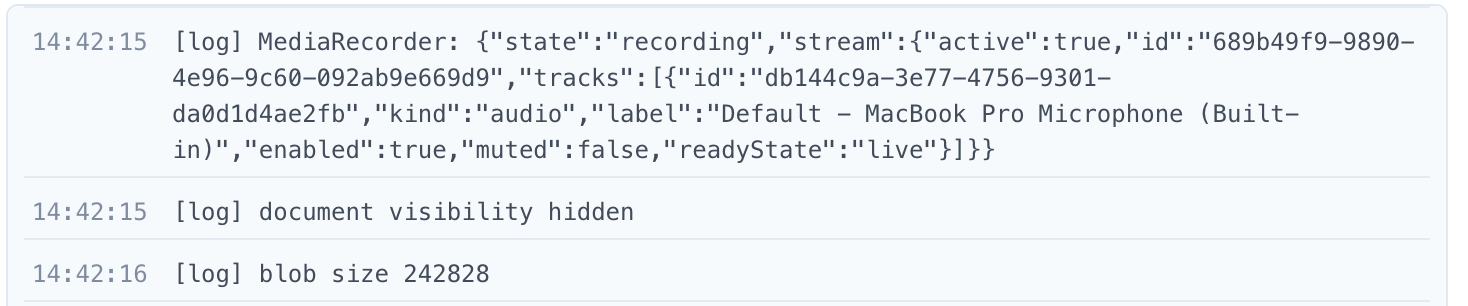
For Google Chrome, there is no change in recorder state or track muted state when navigating to a different tab.
All audio while navigating to a different tab (for 15 seconds) was recorded successfully.
3. navigating to a different tab [phone]
For my iPhone on Safari, there is no change in recorder state or track muted state. Same as in (2), audio is recorded normally.
4. receiving a call during the recording [phone]
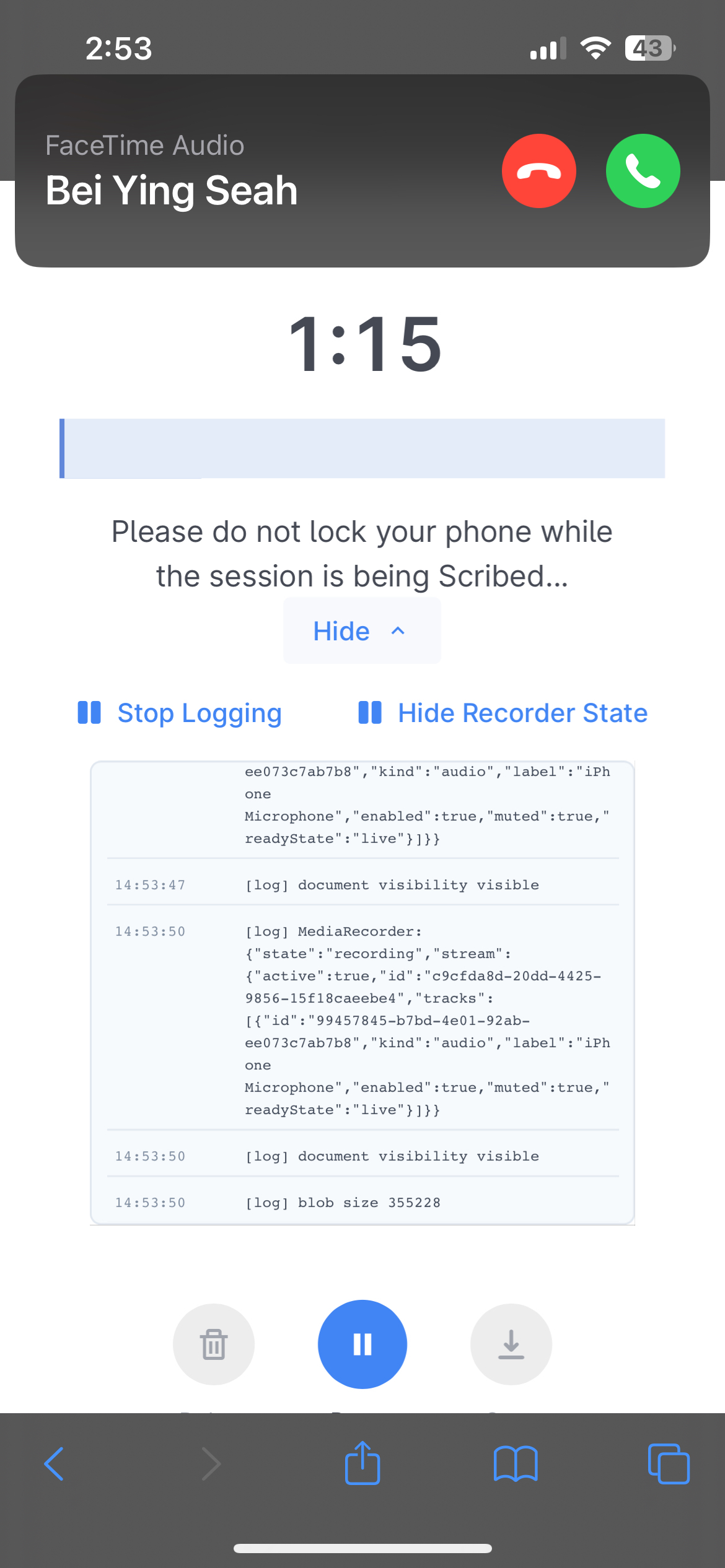
While the phone is ringing, the MediaRecorder state is still recording, but the audio track has muted:true.
Recording resumes successfully once the incoming call terminates.
In the generated audio clip, the 20s period for which the phone is ringing is simply absent from the recording.
5. accepting a call during the recording, but minimised
In iOS, you can accept a call and stay on your current screen, while keeping the phone call minimised. Does this make a difference?
We accept a call for 1 minute but keep it minimised.
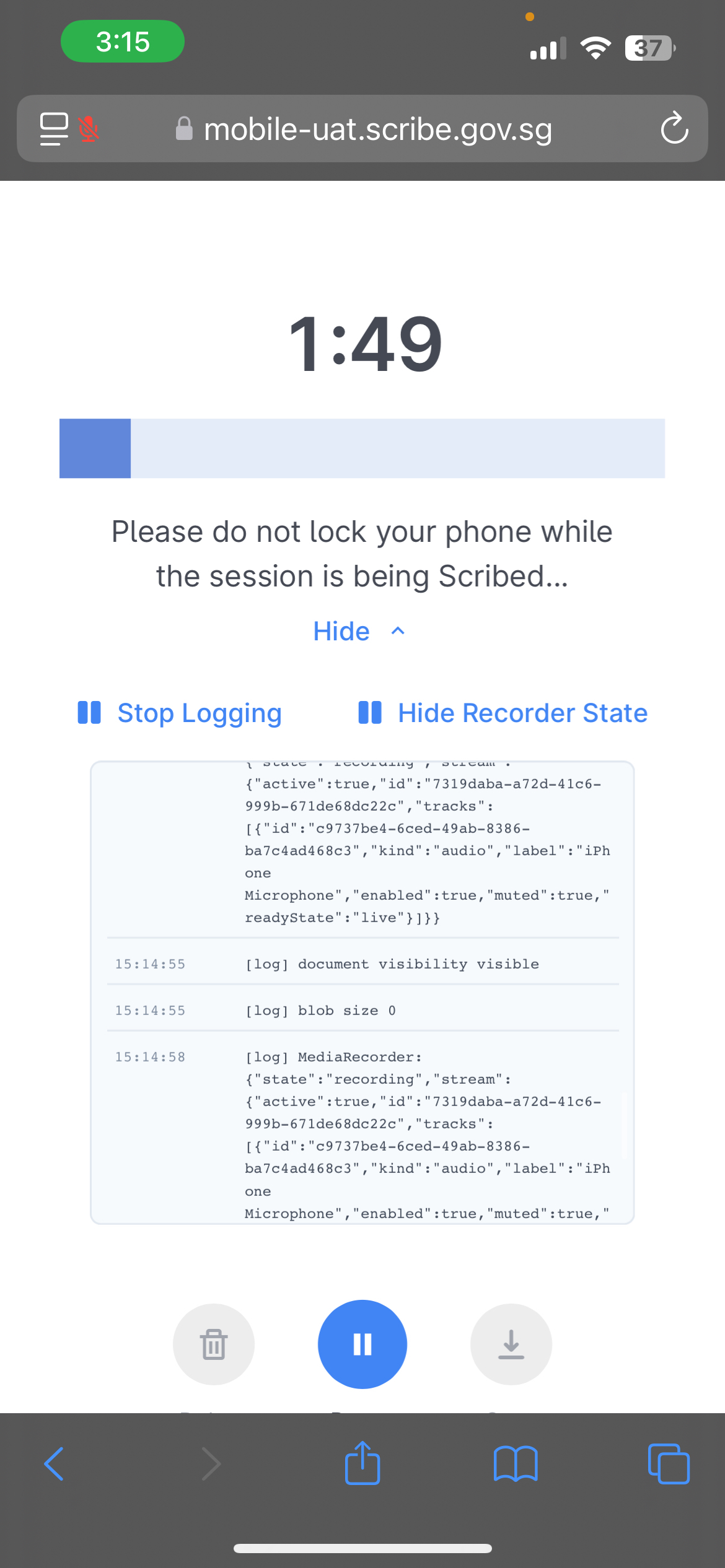
With the longer disruption period, we see blobs are now 0 bytes during the phone call.
(In observation 4, they are still non-zero because affected 15s chunks were only partially disrupted due to the short disruption time frame.)
The recording resumes successfully after disconnecting from the call.
6. accepting a call during the recording, and Scribe is hidden
We accept a call for 1 minute but have it open, taking the full screen.
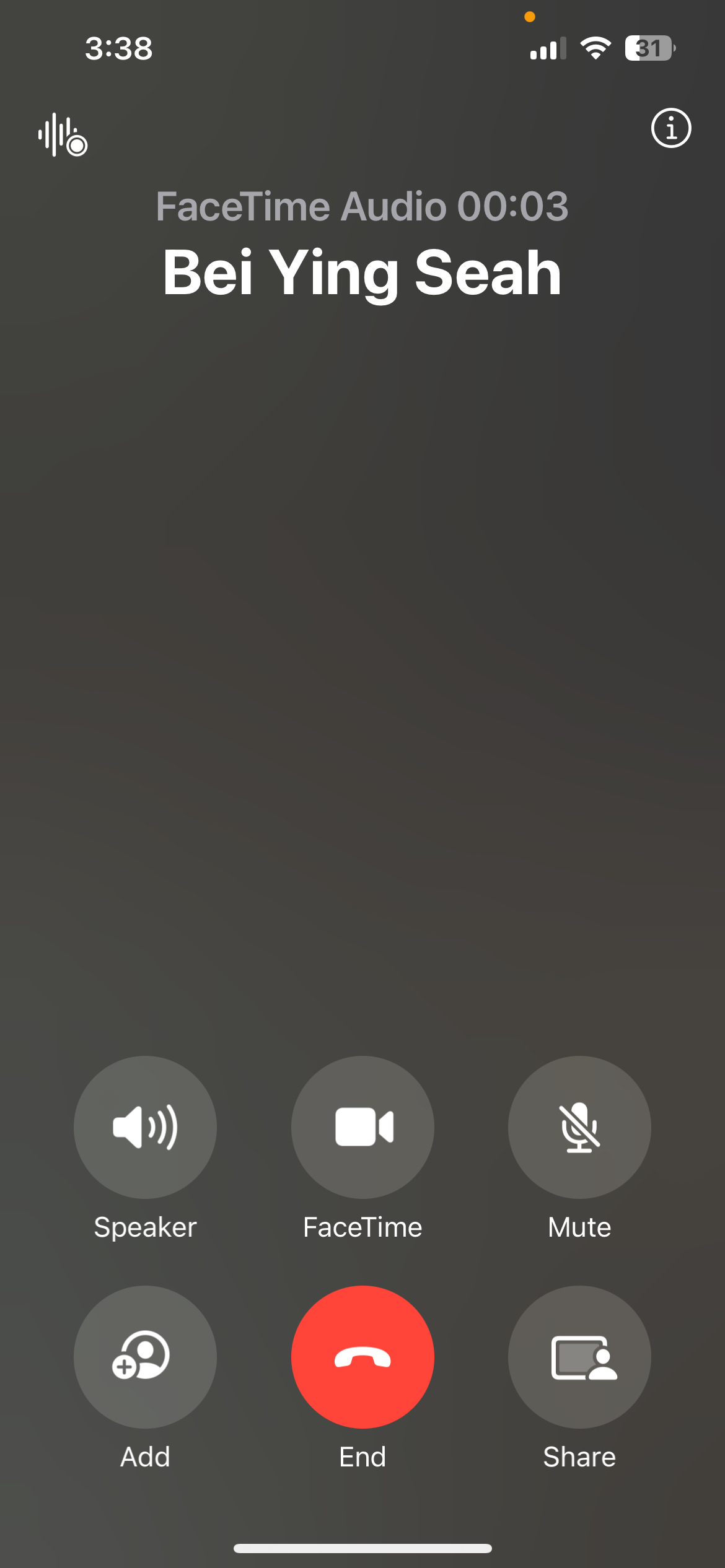
Upon receiving the call, we see that like in (4) and (5), what first happens is that audio track has muted:true while the MediaRecorder is recording.
After a call for a minute and returning to Scribe, we see muted:false and MediaRecorder is recording. However, the volume bar is no longer moving. And all subsequent audio blobs are 0 bytes.
This is the failure mode we care about. Returning to Scribe does not resume the recording.
Does duration matter? I repeated this test with the call being accepted for 10 seconds and 5 seconds.
In both cases, we get the same behaviour, indicating that duration does not matter. It appears that simply answering a call and allowing it to take over the screen leads to the problem.
7. Is the issue caused simply by taking over the screen or navigating away from Scribe?
Perhaps any form of navigation away from Scribe will cause the issue? What about minimising the browser? Playing a video? Watching YouTube?
After more testing:
- Minimising the browser — did not disrupt the recording
- Watching YouTube — the moment the video started outputting audio; the top-left mic icon disappeared. Returning to the app, we see
muted:trueand all subsequent blobs are 0b. - Watching any video on phone — same behaviour as with YouTube.
Navigating away from Scribe alone does not disrupt the recording.
It appears that it is the specific combination of outputting audio and navigating away from Scribe that results in the issue.
What now?
We see that, technically, the browser did implement according to spec — the audio track is set to muted:true when an application with higher-audio priority gets access to it.
After returning to the app, muted is set to false, again, as per spec. However, all subsequent audio blobs are 0 bytes.
With Scribe, there is a callback every 15s of recording that calls MediaRecorder.requestData().
This method raises a dataavailable event containing a Blob of the currently captured data.
When the event is fired, our ondataavailable handler is what triggers the sending of the blob to Scribe's backend servers.
The dataavailable event handling is itself unproblematic — the fact that all blobs are 0 bytes indicates that the MediaRecorder has somehow stopped capturing data, despite all appearances otherwise (i.e. track is not muted, recorder is recording.)
What if it's a permissions issue?
Perhaps the MediaRecorder is unable to capture data due to permissions having been 'revoked' when an application with 'higher-audio priority' becomes active?
There's a section in the W3C docs about the lifetime of a permission:
For particularly privacy-sensitive features, such as Media Capture and Streams, which can provide a web application access to a user's camera and microphone, some user agents expire a permission grant as soon as a browser tab is closed or navigated. For other features, like the Geolocation, user agents are known to offer a choice of only granting the permission for the session, or for one day. Others, like the Notifications API Standard and Push API APIs, remember a user's decision indefinitely or until the user manually revokes the permission. Note that permission lifetimes can vary significantly between user agents.
That being said, the presence of the audio track and its muted status is supposed to be a reflection of whether permission is still being held by the browser.
When permissions are revoked, an ended event for the audio MediaStreamTrack is supposed to fire, indicating that:
The MediaStreamTrack object's source will no longer provide any data, either because the user revoked the permissions, or because the source device has been ejected, or because the remote peer permanently stopped sending data.
That being said, this is supposedly non-normative, so it may not have been implemented according to this description.
Let's add logs for the permission state, which can be obtained with:
await navigator.permissions.query({
    name: 'microphone' as PermissionName,
})
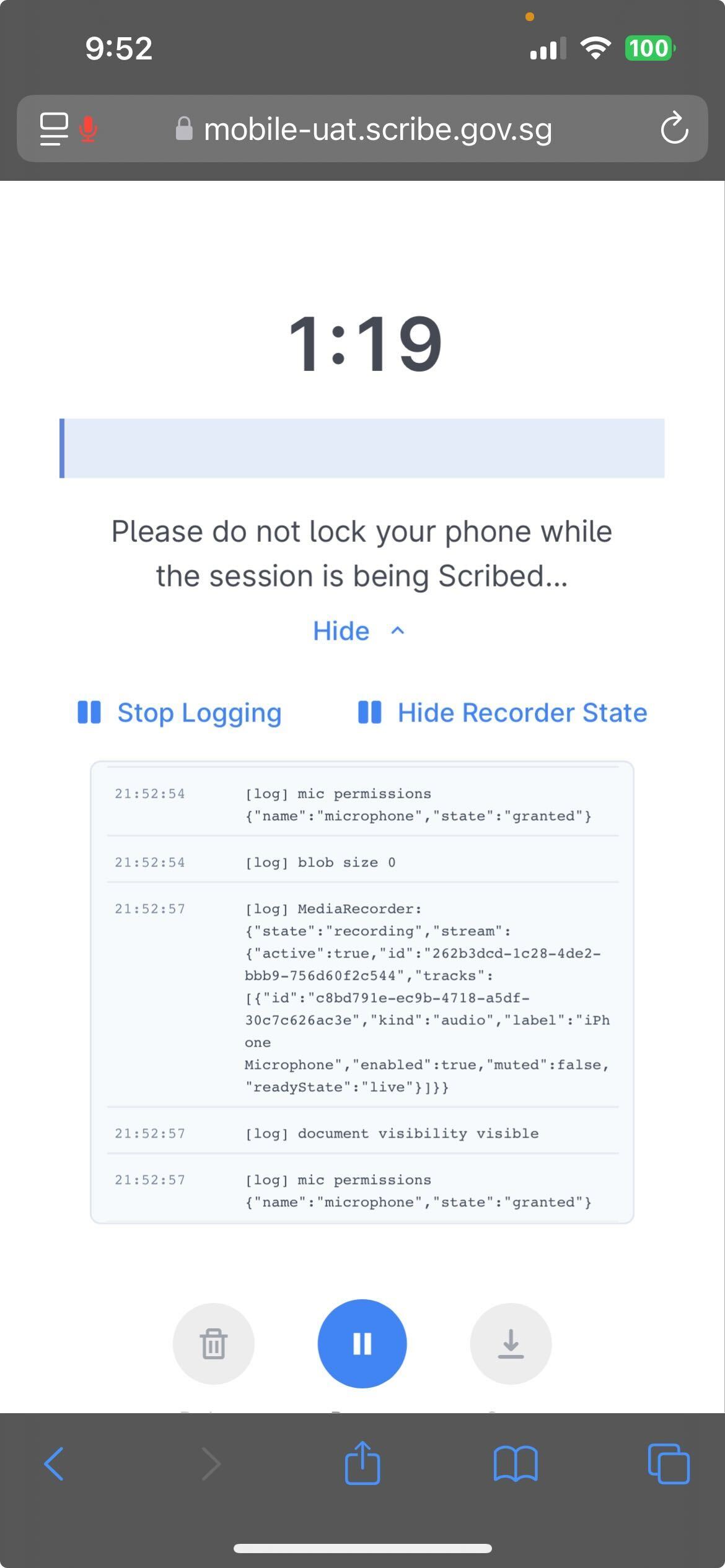
Repeated observation 6, but we see that mic permissions stays in the state of granted.
This is true even when the track is muted:true.
What now?
Unfortunately, that concludes a weekend of troubleshooting. There doesn't seem to be a good way to force the recording to resume after a phone call disruption, and the obvious suspects seem to have been ruled out.
If I were to pick this up again, I might look at:
- The Chromium implementation for MediaRecorder
- Perhaps re-initialising the
MediaRecorderentirely post-disruption. But this approach doesn't smell right to me.